OnBeat Reply

Your front desk, after hours.

Members text your studio number. Your team answers from one shared inbox, and the messages that should send themselves already do.

Jordan Mills
Member since 2024 · 2 classes in 30 days
At risk

Win-back sequence · day 1

Hey Jordan — we saved your favourite bike for Thursday 6am with Alex. Want it?9:02
Ha, tempting. Been slammed at work.9:14
Is Alex still teaching Thursdays?9:14
Every Thursday. I’ll hold bike 12 until 5pm.9:16
Book it. See you then.9:21
Reply to Jordan…
Send
1Studio number your whole team answers from.
24/7Reminders and waitlist updates, sent without anyone at the desk.
0New apps for your members. It’s a text message.

Shared inbox

One number. One inbox.

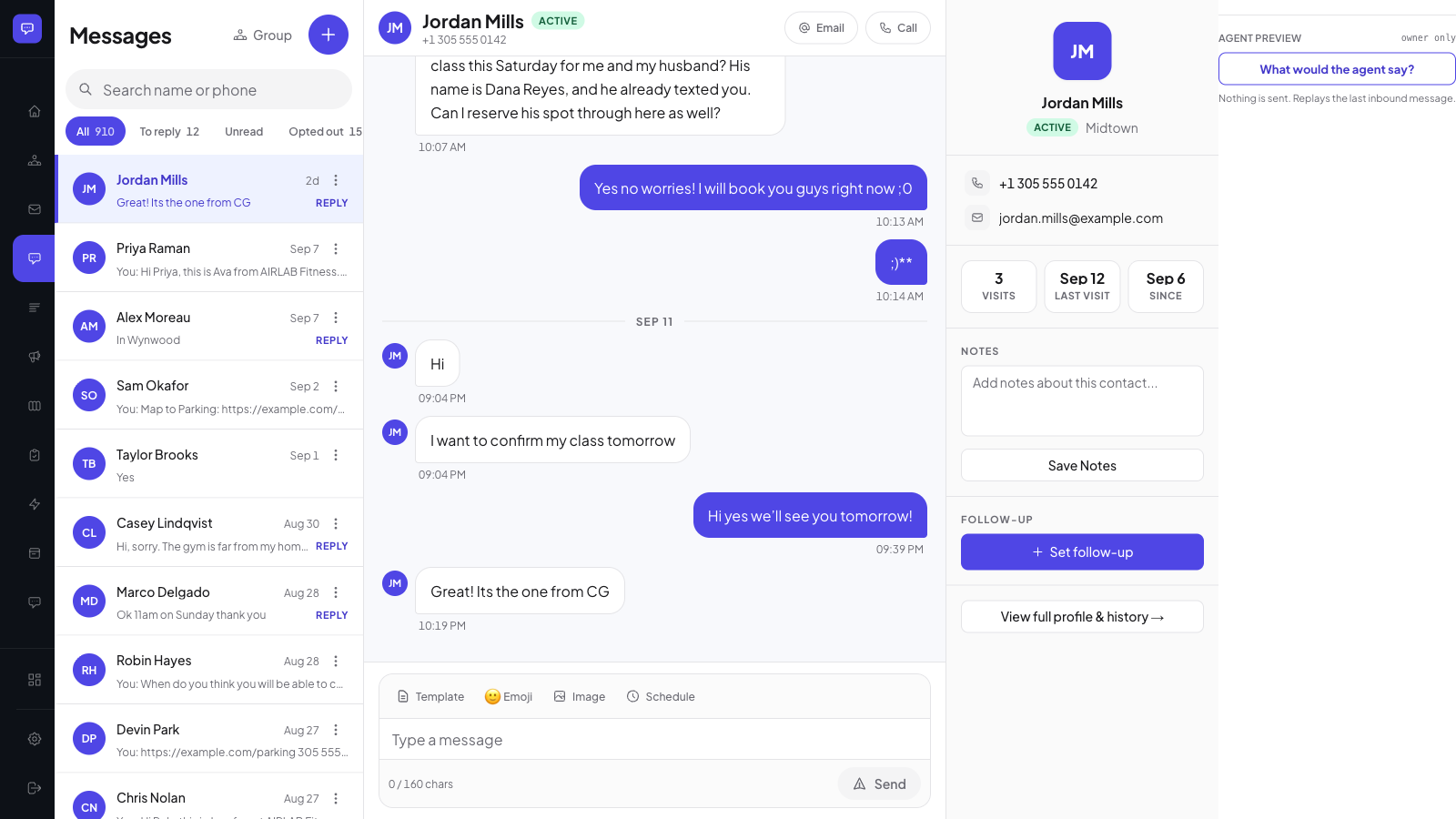
Every text to the studio lands in the same place, whoever is on shift. No personal phones, no messages lost in someone’s DMs, no member wondering whether anyone read it.
  • Two-way texting from your existing studio number
  • Assign a conversation to a coach or the manager
  • Internal notes your members never see
  • Read receipts, so nothing gets answered twice
The OnBeat Reply shared inbox: conversation list, open thread, and member detail
The shared inbox, with conversations assigned across the team.

Automations

The messages that send themselves.

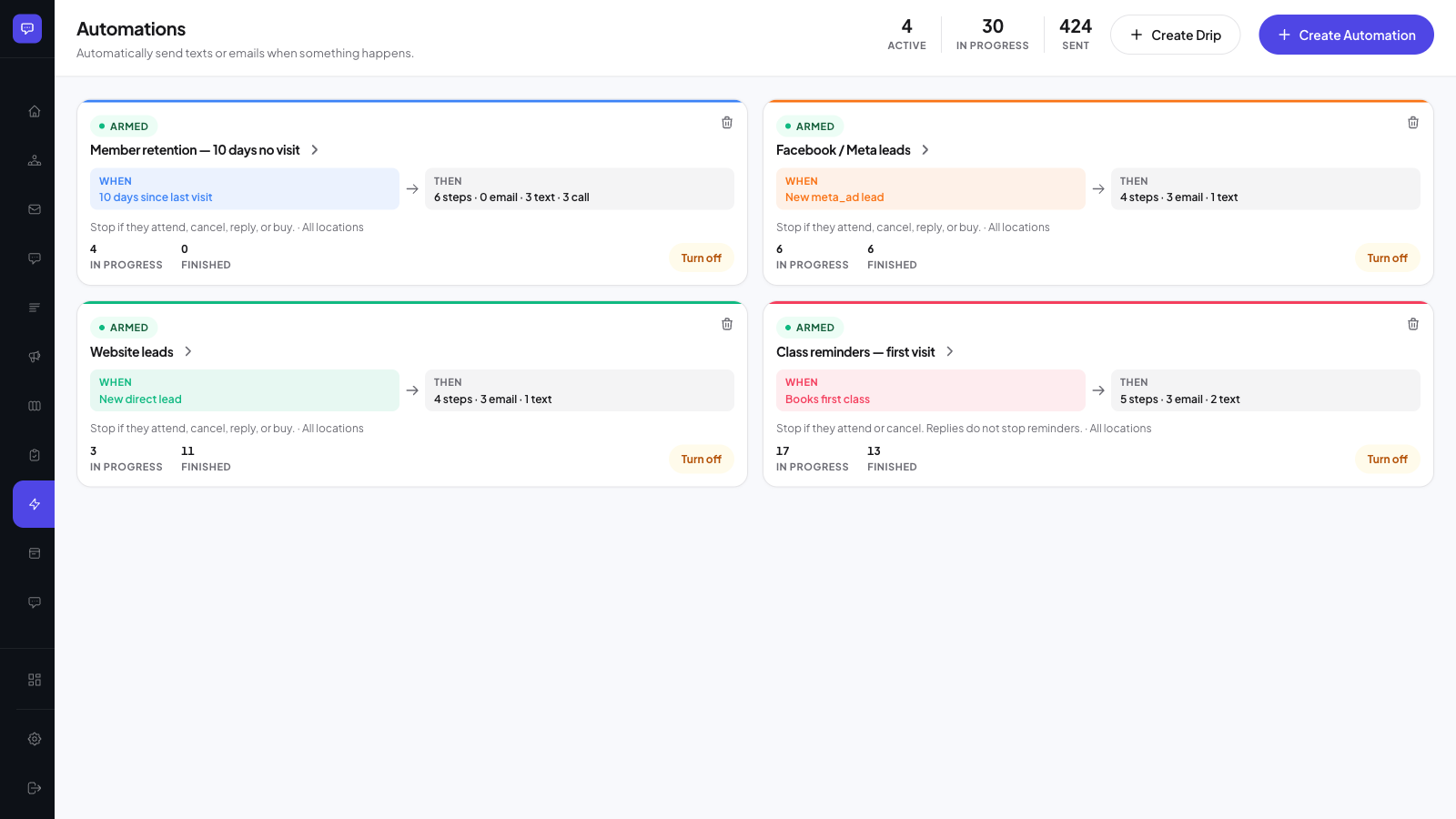
Class reminders, waitlist openings, late cancels, first-class welcomes. The routine messages go out on time, and your team only steps in when a member writes back.
  • Class reminders on your schedule, not a generic one
  • Waitlist updates the moment a spot opens
  • Welcome sequences for a member’s first month
  • Every automation pauses the second a human replies
OnBeat Reply automations: each sequence with its trigger and steps
Reminders and sequences, set once per class type.

Win-backs

Every member, back on beat.

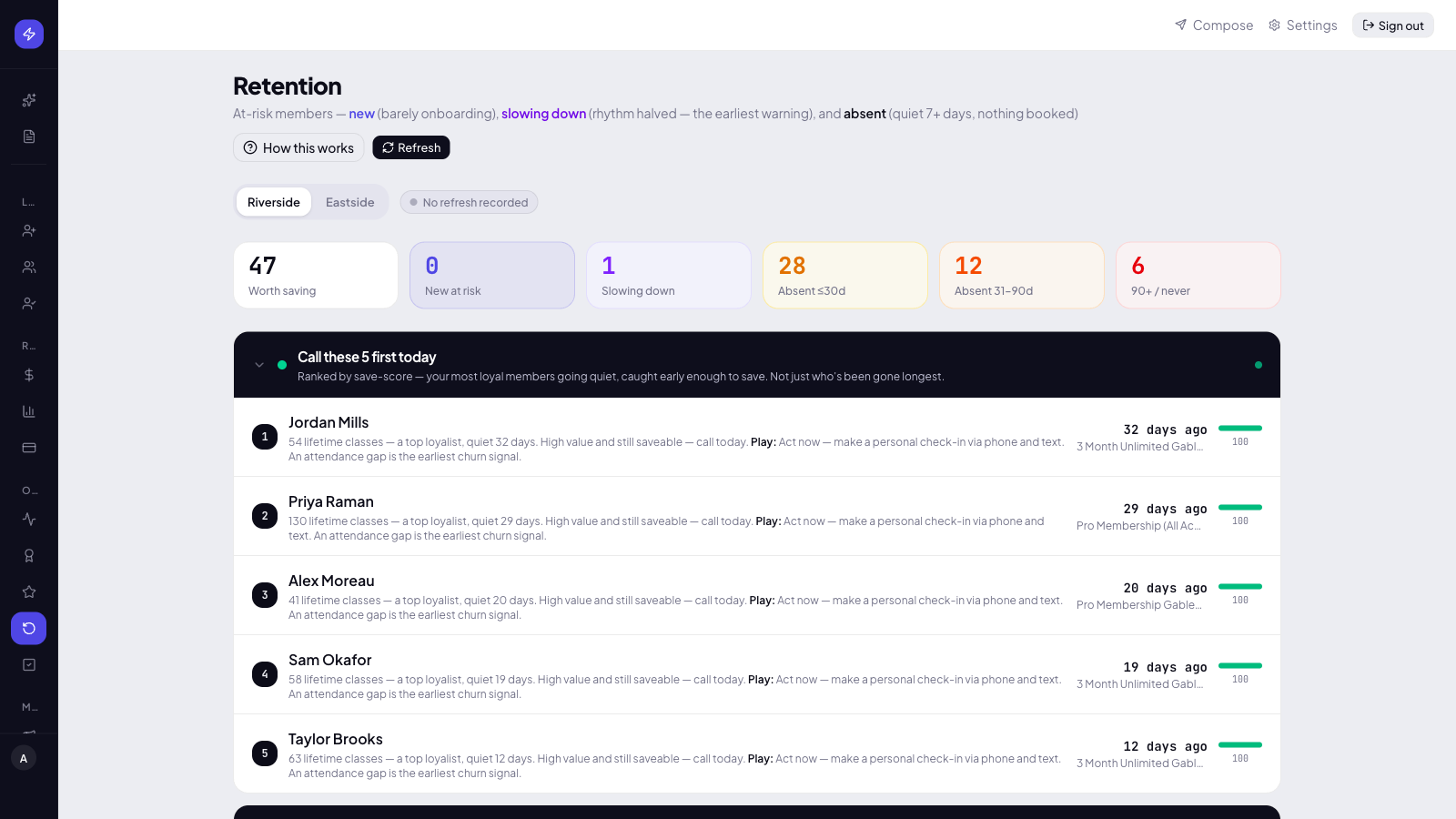
Insights flags the members drifting toward a cancel. Reply is how you reach them — with their history in front of you, before the card gets cancelled instead.
  • At-risk members from Insights, ready to message
  • Sequences that stop as soon as someone books
  • Templates your team can edit, not a locked script
  • See which win-backs actually brought members back
OnBeat Reply win-back list: at-risk members ranked by save-score, each with the next move
The at-risk list from Insights, one tap from a message.

Every conversation knows the member.

Reply reads from the same MarianaTek data as Insights. Whoever picks up the thread can see who they are talking to.

Their history, in the thread

Membership type, last visit, favourite class and coach, sitting beside the conversation.

Written back to your CRM

Messages log against the member’s record, so your CRM stays the system of truth.

Consent handled

Opt-outs are honoured everywhere at once, across every location and every sequence.

Coming next

An assistant that answers for you.

Reply already sends the routine messages. Next, it answers the routine questions — class times, pricing, how to freeze a membership — and hands you the conversation the moment it matters.

  • Answers drawn from your own schedule and pricing
  • Escalates to your team on anything it should not decide
  • You approve the tone before a single message goes out
Jordan Mills
Member since 2024 · 2 classes in 30 days
Assistant

Example conversation. The member texts: hi, can I book the 6:45 pm class today? OnBeat books HIIT 45 at 6:45 pm, bike 12, and replies: you’re booked for HIIT 45 at 6:45 pm tonight, bike 12. See you there.

Texting members by the end of the day.

Connect

Link MarianaTek or Mindbody. Your members, classes and schedule come across.

Claim your number

Keep the studio number you already advertise, or take a new one.

Turn on reminders

Start with class reminders and waitlists. Add win-backs when you are ready.

OnBeat Reply

See it on your own member list.